Sitecore Marketplace App – The Image Hotspot Manager
Hello and welcome back to another blogpost. And again I have to say sorry, that I did not start with the big devex blog post series, but I promise this one is also worth it. Lately I had an
Hello and welcome back to another blogpost. And again I have to say sorry, that I did not start with the big devex blog post series, but I promise this one is also worth it.
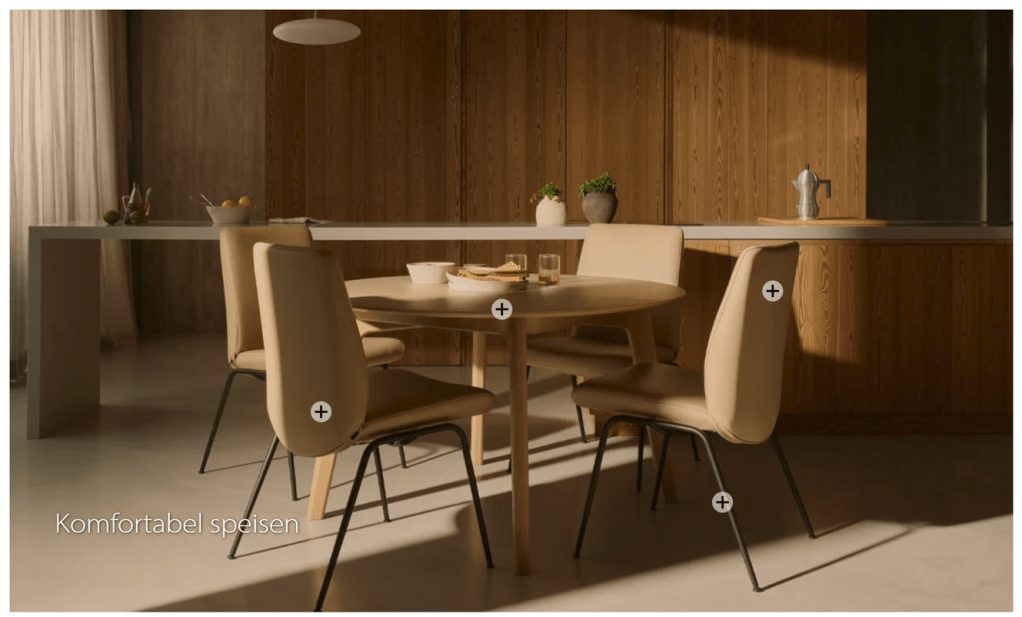
Lately I had an interesting task to rebuild a website in SitecoreAI. The purpose? Demonstrate how fast and easy you can rebuild each and every website in Sitecore. And not only that. Of course fully editable like inline editing, right-hand side editing, proper children management mechanism and so on. Interesting task for sure and worth its own blog post as the results were really stunning, how fast it is actually possible by using the right tool set combined with a bit of Sitecore best-practice knowledge. But back to this post. One module I had to build was special and looked like this, where when you click on a hotspot, it opened a tooltip with additional information.
The Hotspot Module
Let us deep dive into the nature of this module and how it basically looks like. The module itself is just an image with text and a list of PoI (Points of interest). When clicking on those you get a nice tooltip.
The rebuild itself is actually pretty simple. A component with Image and Title and per hotspot a child with properties like x,y and tooltip to show.
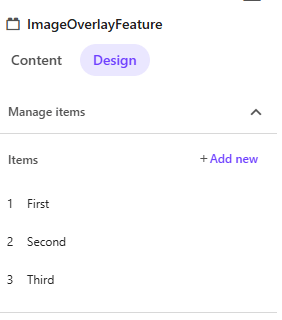
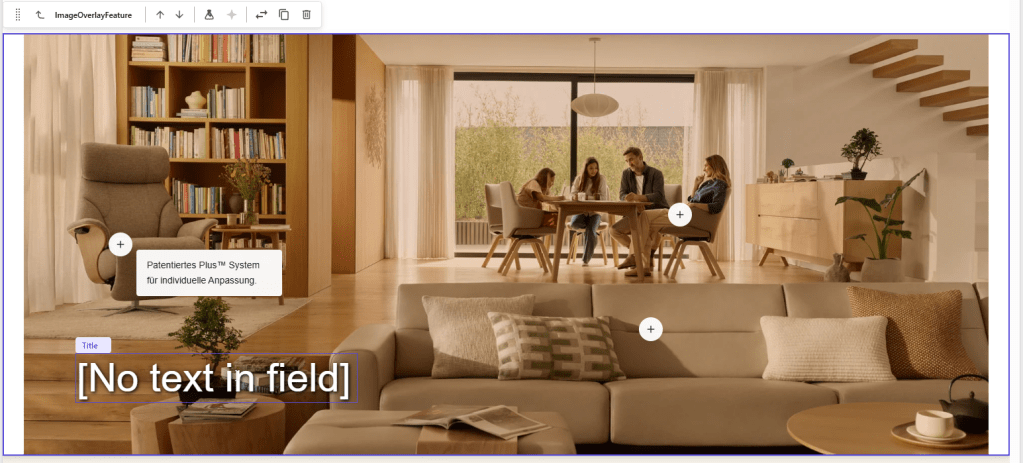
This is also supported well in Page Builder with the right hand side Manage Items feature, where you can simply create new items on the fly. After managing them properly you get a result like below
But wait… How did I manage the location of those items. When we have a look at the items I need to set top and left like X and Y of the hotspot item. How do we get proper values of those in Pages builder?
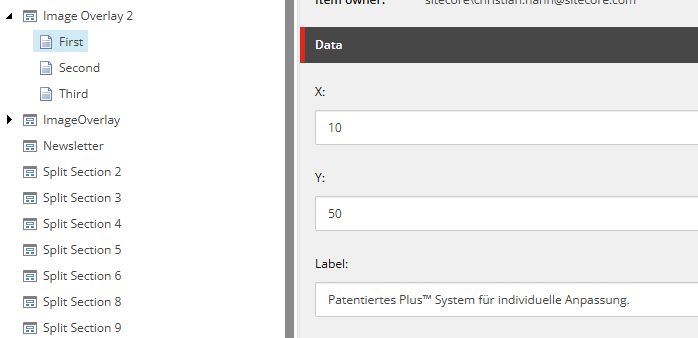
The answer is, we do not get those values easily or better do not know the exact values to add to place the hotspot properly. In my case it was a little trial & error till they were positioned right. So the question is
How can we improve the editor experience here? And the answer is Marketplace.
The “Image Hotspot Manager”
It did not take long for me to understand, that we need to come up with a better solution. Why not using Custom Field (https://doc.sitecore.com/mp/en/developers/marketplace/extension-points.html#page-builder-custom-field) extension point to offer a custom UI to manage those Hotspots and save them back as structured JSON.
That was the birth of the “Image Hotspot Manager” Marketplace App. This app in essence let you pick an image field from the current data source item to add Hotspots on it. You can save the results back to the custom field as JSON to be consumed then properly by the head application.
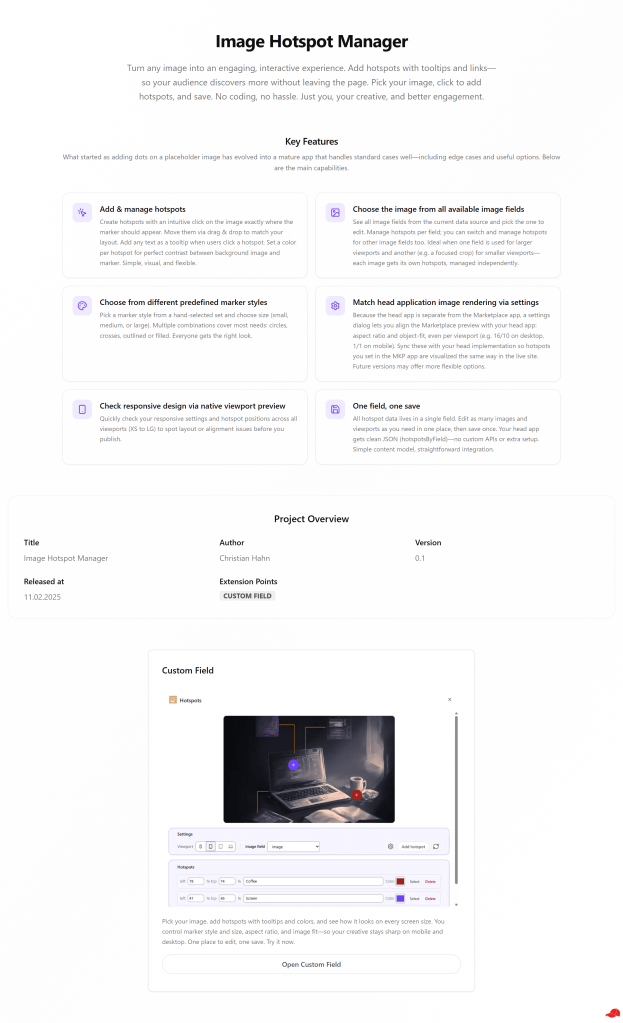
Key Features
What started as adding dots on a random placeholder image quickly evolves into a full blown mature app, which is already able to serve several standard cases pretty well including edge case handling and some nice to have options.
Add & manage Hotspots: Easily create new hotspots via easy and intuitive click mechanism via click on the image at the exact location it should be visualized. Easily move the hotspot via drag & drop around to perfectly match your requirements. Easily add any kind of text to be visualized as tooltip once a user clicks on the hotspot. Be able to color it the way you need it to reach a perfect contrast between background image and foreground hotspot.
Choose the image from all available Image fields: Get a list of all available image fields from the current data source item. Choose the right image field and manage all your hotspots. You can even continue and manage hotspots for other image fields as well. This perfectly supports the use case to use one image field to render larger viewport images and another image field with another image (for instance focused on a special poi) to render smaller viewports. The hotspots can be managed for those images totally independently to perfectly match the given image
Choose from different predefined marker styles: As a nice goodie choose you marker styling from a list of hand selected styles. Also be able to decide if the hotspot should be rendered small, medium or large size. This already gives a good amount of different variations of marker styles which suites most of the cases out there. From circles, over crosses, outlined or filled. Everyone gets the right style.
Match Head application image rendering style via settings to allow maximal flexibility: As the head application is managed in isolation of the Marketplace app there is a settings mechanism to allow adjusting the marketplace image render styling more specifically the aspect ratio and object-fit to perfectly match your head application implementation. Manage all those even view port specific to allow for instance an image to be rendered in 16/10 in desktop but 1/1 in mobile.
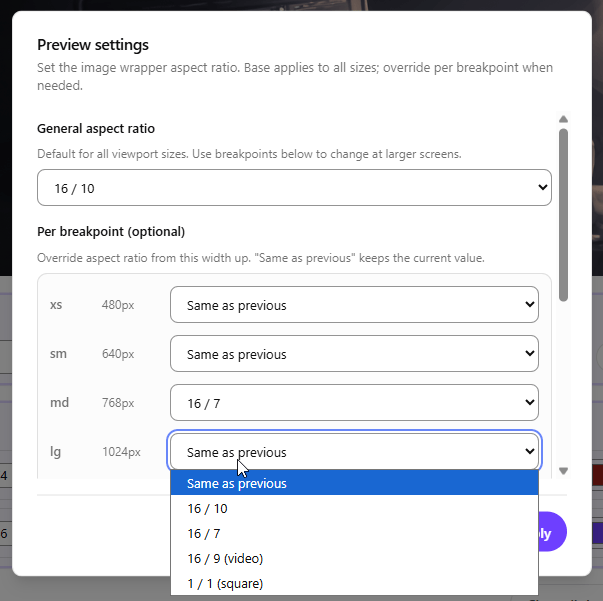
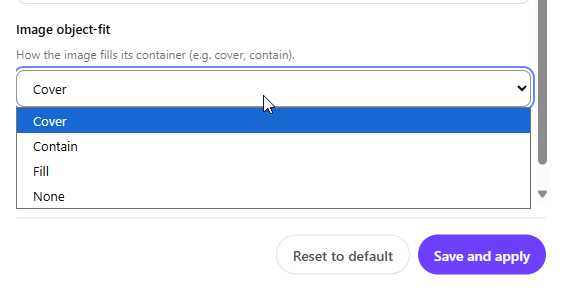
Above you see all the currently available settings. Just synchronize it with your head application. This should look similiar to something like below. In case they are synchronized this way it is ensured, that the MKP app sets hotspots, which are visualized exactly the same way in the real head app.
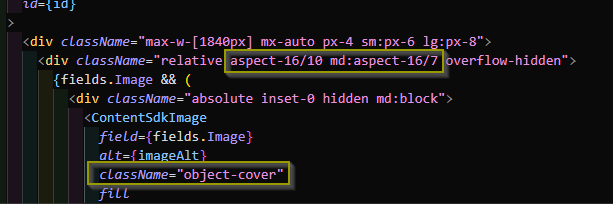
Note: Future versions might come up with a nicer or more flexible approach
Check responsive design via native Viewport preview: Be able to quickly and easily check all your responsive settings and hotspot marks over all the given viewports to identify any potential issue
Demo
Now after reading everything and seeing some bits and pieces in action here is a full walkthrough, how the app works and how you manage your hotspots.
Limitations
What kind of developer would I be if there are no limitation. Let me be frank. This app started as a simple proof of concept, that we should be able to improve the situation. First version was there pretty quickly. But then the devil is in the detail. Meaning things like responsive design, synchronization of head app rendering style and marketplace app rendering style, multiple image fields for different view ports and more kicked in and obviously make things more complicated. But jeah, those are all valid use cases and requirements. So I tried to bring already as much as possible in into the current version as example. There will be more, which needs to come. Things like add hotspots per viewport, bring all this onto data source item level and not only page context item level and most likely more. For most of the discovered limitations I am already planning or in discussion with teams to share the feedback, how some can be easily achieved. The app will be updated as soon as there is anything available or a new more enhanced version is created.
Vibe Coding
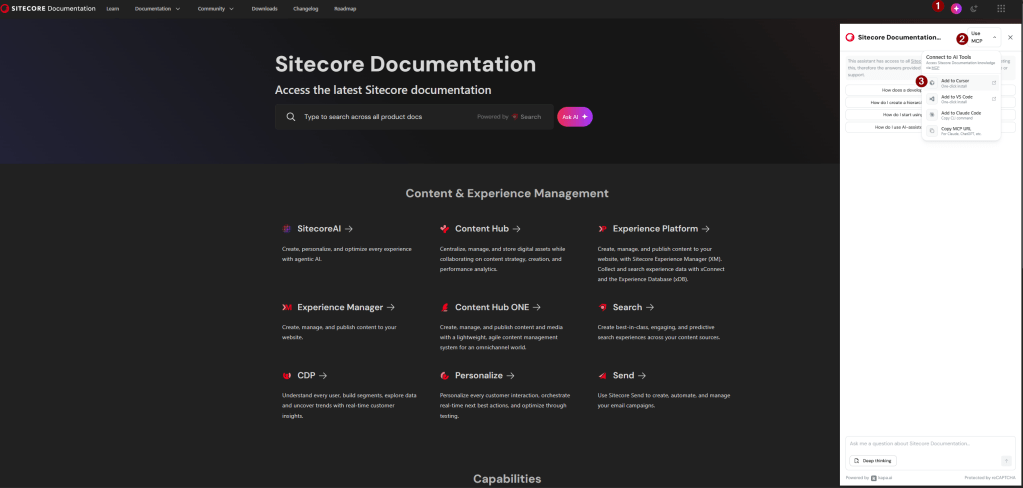
As pretty common lately I used Cursor as my coding buddy to create this app. Cause of this collaboration building the app did take me less than a day to become the state as it is as of now. I combined my deep Sitecore knowledge as Architect and let Cursor do all the dirty work. Yes it went apart several times, but overall did a great job. I was even very surprised about some of the accurate approaches especially when handling special logic like client.getValue or client.setValue. Turned out that my Documentation MCP was most likely responsible for giving me all these information. I highly recommend all of you building with Sitecore to add Documentation MCP to give Cursor (or any other tool) proper context to get the work done. Amazing time saver for me already.
Conclusion
Within this blog post you learned about a new Marketplace App idea and implementation the “Image Hotspot Manager”. It was born from a real world pain point to best and efficiently solve it. After only coding and prompting a few hours a working app was there. A few hours later most of the common use cases to make it real world production usable were also added. It is for sure not yet perfect, but really nicely demonstrates how fast and easy everyone can build Marketplace apps with the right toolset and knowledge. Let us start solving real world problems and make the life of marketers easier by creating more and more Marketplace Apps for special problems.
- migrated