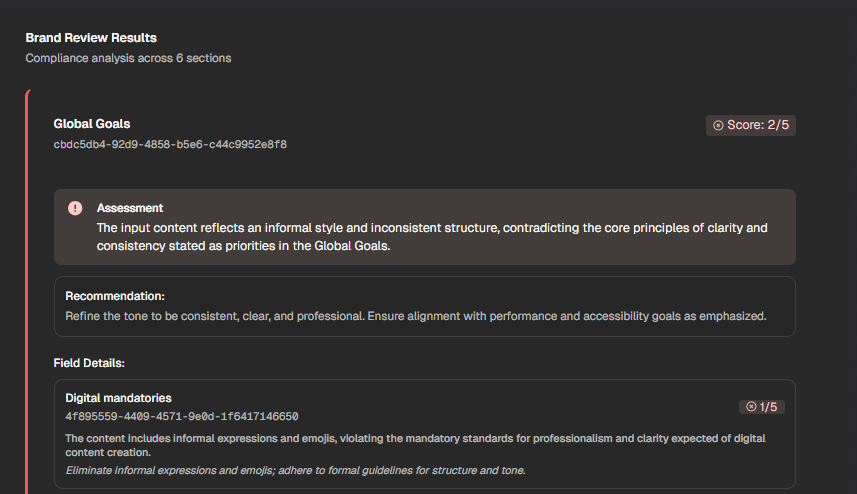
SitecoreAI Marketplace – AI Skills
Welcome back to another post, this time a very small but not unimportant one. This time I want to highlight a pretty cool new feature, with which you can make your Marketplace apps even more
Welcome back to another post, this time a very small but not unimportant one. This time I want to highlight a pretty cool new feature, with which you can make your Marketplace apps even more powerful.
What’s new?
If you followed Sitecore releases closely in the past you might have noticed, that this new API was introduced officially some time ago https://api-docs.sitecore.com/ai-skills/ai-brand-review-admin-rest-api
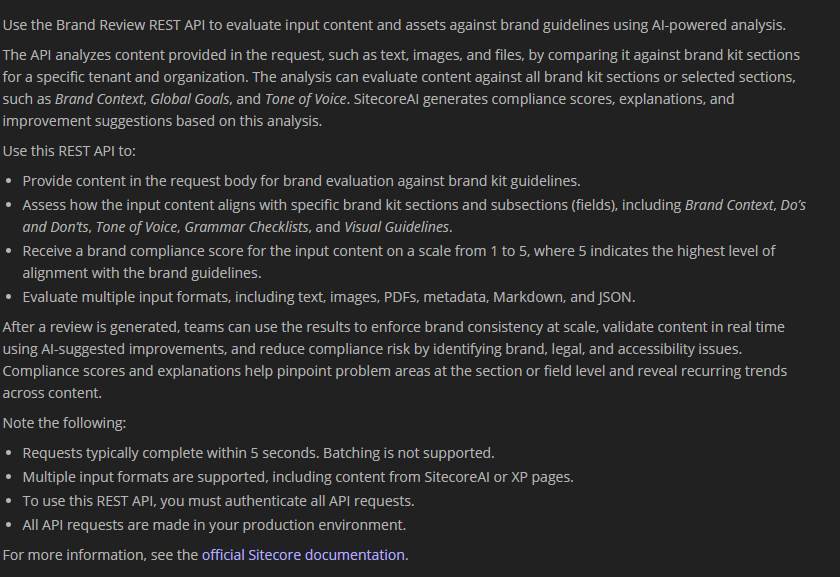
Pretty power- and useful addition to the available APIs especially, when you are already working with Brandkits. This API is an enabler for everyone to
- Check and validate existing content against your Brandkit
- Create and validate new content against your Brandkit, BEFORE it lands in the system
Depending on your type of integration for instance within a Workflow as Webhook action or as Marketplace App it serves different great use cases. If you combine this API with a powerful LLM you can even validate AND update your content accordingly in one step.
Step by Step guide
But enough of words. Let us set it up properly step by step as Marketplace App. My use case still is my chat application based on Vercel AI SDK. This means I already have a powerful LLM as base. This API / SDK functionality will now a perfect addition for my chat application to analyze, validate and create content using natural language.
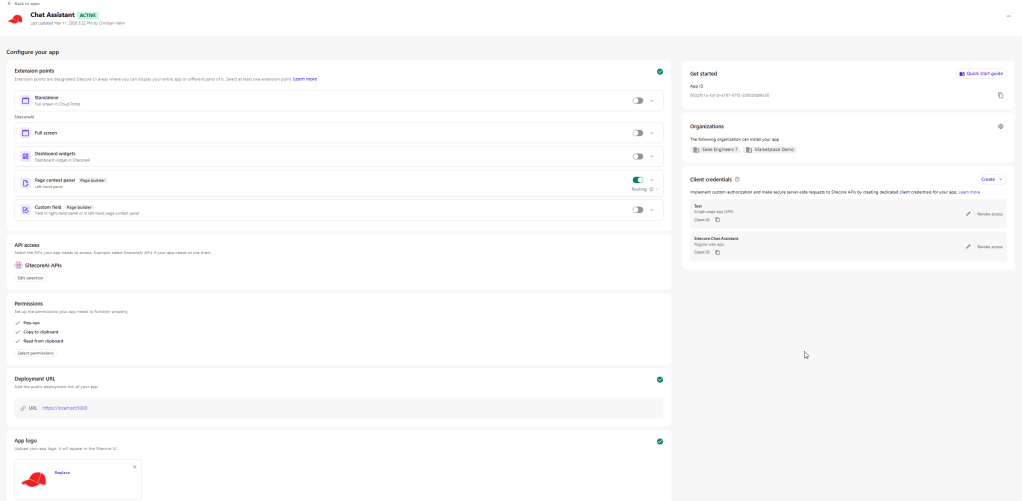
First of all you should go into App Studio and open one of your apps, where you want to start using AI Skills.
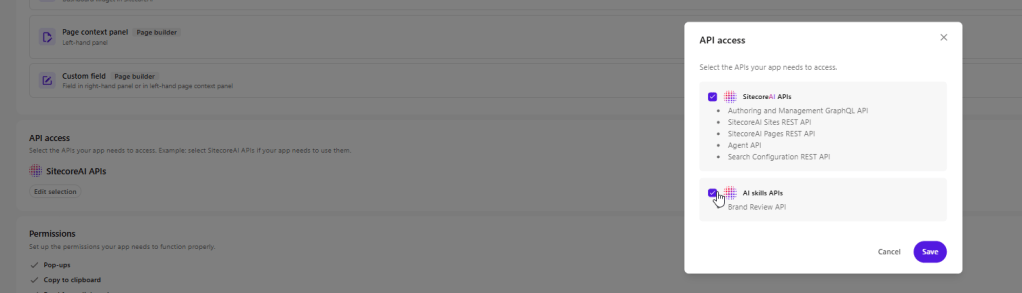
Click on Edit selection inside the API access part. You will notice a new “set” of APIs available. Just check it to enable it for your app. Right now it just contains Brand Review functionality. But more to come.
It is important that you go to My Apps to execute an Update in case the app was already installed into instances. This ensures that all the needed credentials are set up correctly with the right scopes etc.
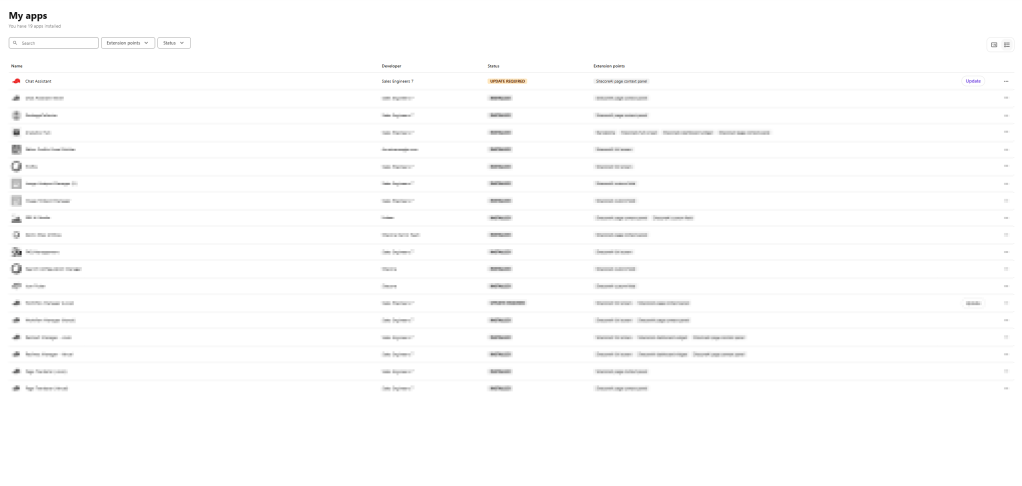
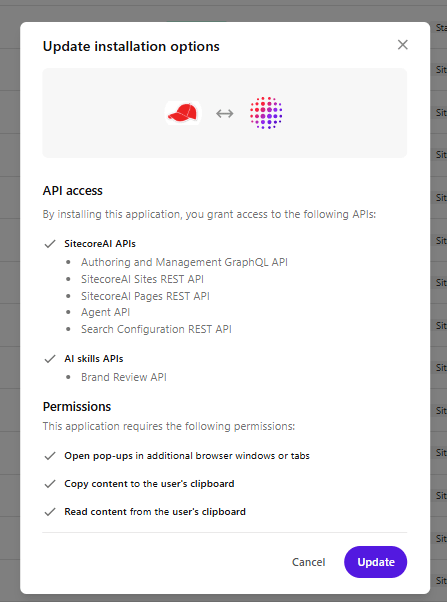
Just click on Update and confirm the update process. This just takes a few seconds and ends up with a confirmation screen
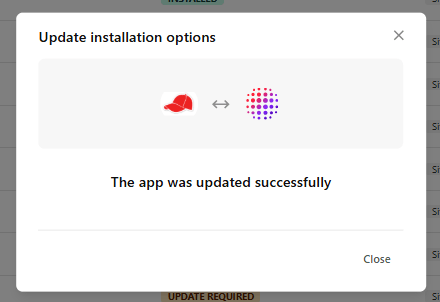
And thats it. Now you can start using the new AI Skills. In my case of the chat application I wanted to include it serverside. Luckily I already have authentication and everything else in place, which I can easily reuse or better speaking I can easily integrate this into my existing app.
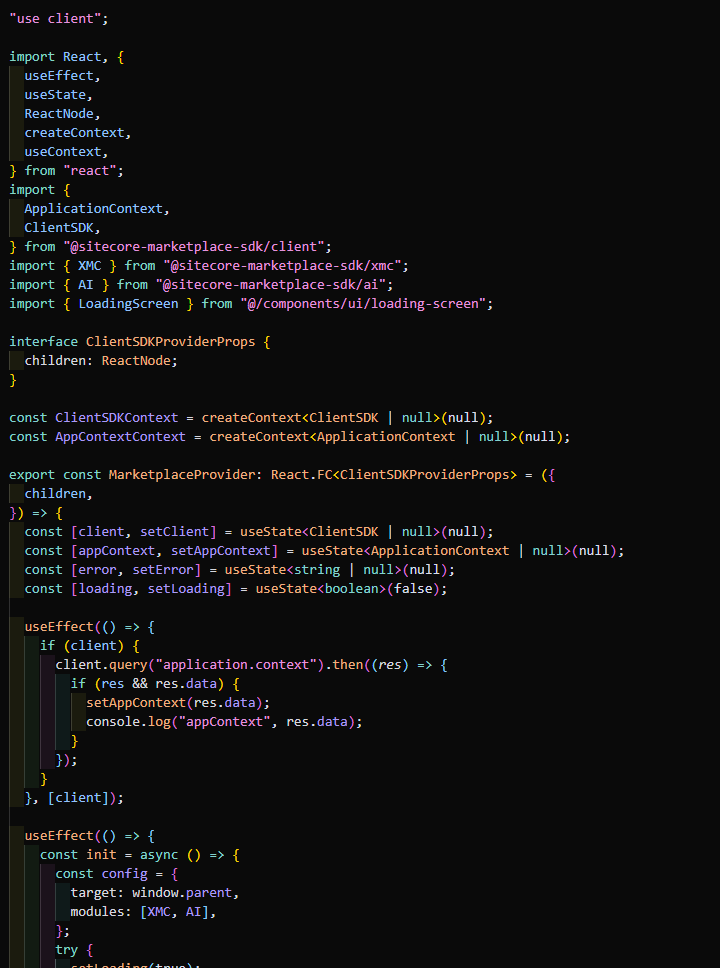
First of all, install the new ai package, which comes with new functionality. “@sitecore-marketplace-sdk/ai”: “^0.1.0”. After doing this extend the Marketplace initialization with the new AI module as seen below.
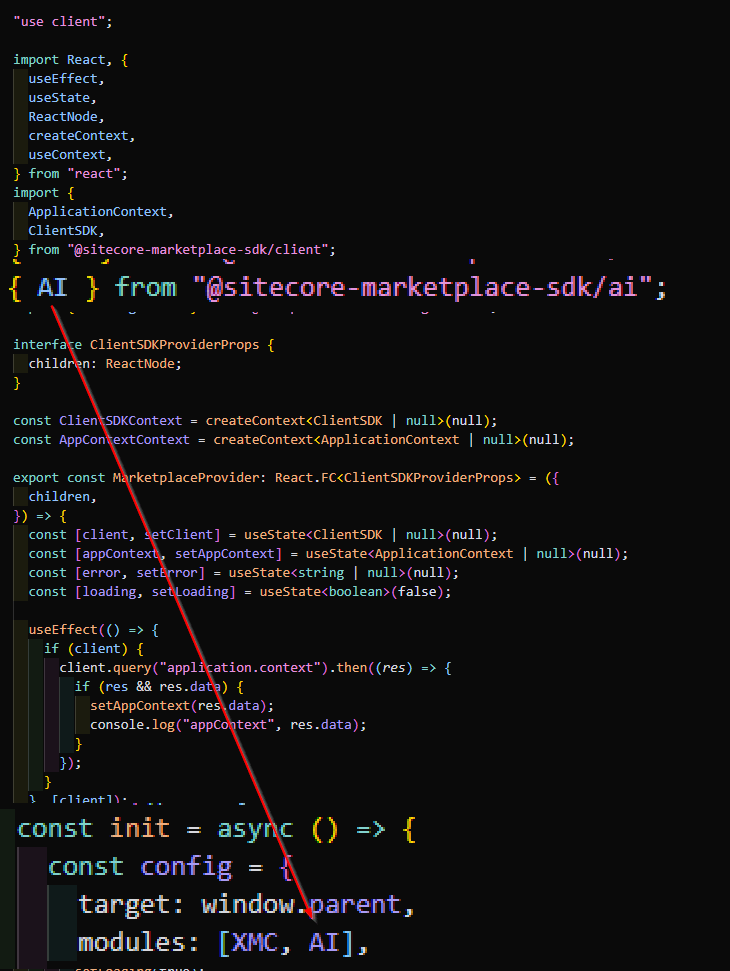
Now, if you want to use the server side piece as I wanted to, you need to provide a new ai client. In my case I have a special sitecoreClient file, which provides those easily.
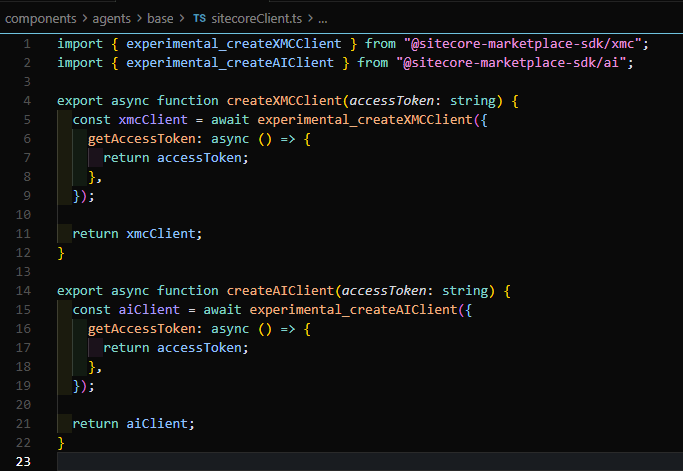
Make sure, you are using now the AI client, which offers you the new functionality like generateBrandReview.
This one comes with some parameter, which need to be filled. Its up to you where you get them from. For instance you could grab the needed IDs from the system, or implement additional fetch logic to get BrandKit(s) and Sections you need.
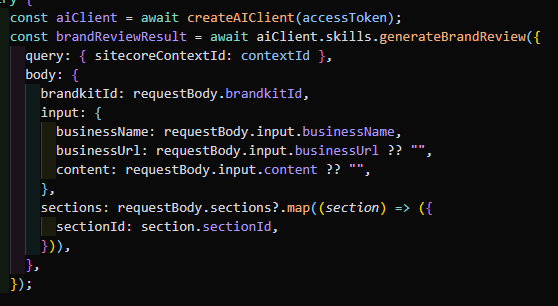
And thats it. By doing this you get a full blown brand review against the given Brand Kits and the given sections with a given URL, or content depending on your case.
Live Demo
Now following all this you might also want to see everything in action. No problem here we are.
- ai
- nextjs
- sitecore-marketplace